VAT Returns Online: How to File, Pay and Avoid Penalties
Learn how to file VAT returns online with MTD-compatible software, meet HMRC deadlines and avoid penalty points. Step-by-step guide for UK businesses.
The advice to “log in to HMRC and submit your VAT return” is incomplete. For most businesses, the correct filing route runs through compatible software, not a form on the HMRC website. And clicking submit doesn't mean you've paid the bill.
Treat filing and payment as separate risks, with separate checks and separate evidence. When you file VAT returns online, your job isn't finished until HMRC has accepted the return and you've confirmed how the payment will reach the right account on time.
Table of Contents
- Which Route Applies to Your Business
- Deadlines and Penalty Points to Plan Around
- Prepare Records and File Your VAT Return Step by Step
- Handle Late Returns, Errors and Penalty Appeals
- Connect Your Software to Payroll and Cash Flow
- Choose Your Filing Route Before Your Next Deadline
Which Route Applies to Your Business
Making Tax Digital generally requires VAT-registered businesses to keep the specified digital records and file through compatible software, including businesses below the registration threshold that registered voluntarily. Exemptions and special circumstances can change the route. Check VAT Notice 700/22 and the business’s actual HMRC instructions rather than using an old turnover threshold to decide how to file.
Registration status and any applicable exemption are central to choosing the filing route. Low turnover alone does not exempt a registered business from MTD. Confirm the correct route with HMRC where insolvency, an existing online-filing exemption or other special circumstances apply. Payment remains a separate obligation.
Settle the submission channel first, because the route only covers the filing half of the job. Payment still needs its own confirmation, with its own evidence and its own timing.
Make the checks in order
- Confirm registration status. Check the business's VAT registration details and outstanding return periods.
- Verify any exemption. Limited trading, low turnover or difficulty using software does not qualify you automatically. HMRC must agree the exemption.
- Test software compatibility. Your accounting package or spreadsheet connection must support submission to HMRC through an API.
- Confirm agent authorisation. If an accountant files for you, check the authorisation is live before the deadline, not after a failed submission.
- Check closure obligations. If you have stopped trading or deregistered, identify the final return and any unpaid balance.
Filing routes by business situation
| Situation | How to submit | Notes |
|---|---|---|
| VAT-registered, not MTD exempt | MTD-compatible software | Covers registered businesses below the historic registration threshold too |
| Holds an MTD exemption | Use the route HMRC has confirmed, which may be the VAT online account or an agreed alternative | Available in limited situations; confirm the exemption before filing |
| Filing for a client as an agent | Agent's compatible software | Confirm client authorisation before the deadline |
| Deregistered or stopped trading | Final return through software | Identify the final period and any balance still due; confirm exceptions if exempt |
| Software or HMRC sign-in fails | File as soon as the fault is fixed | Keep evidence of the fault and check late-submission rules |
A sole trader in Colindale keeps everything in Excel and expects to type the totals into the VAT account. Excel cannot submit anything on its own. The gap is the compliant connection between those records and HMRC, and discovering that gap on deadline day is exactly how late returns happen.
Your VAT cash accounting scheme choice is a separate decision from your submission route, and both are separate from paying. Find your row in the table, fix any mismatch between that route and your actual software or authorisation, then make sure the payment reaches HMRC on time. Filed and paid are two different outcomes, and each needs its own evidence.
Deadlines and Penalty Points to Plan Around
Filing and payment are separate obligations. Late submission can create points or penalties under the applicable rules; late payment can create interest and, depending on how long the amount remains unpaid and any arrangement with HMRC, late-payment penalties. A small payment delay does not automatically create every penalty. Check HMRC’s current rules for the relevant period and circumstances.
Penalty points thresholds by filing frequency
| Filing frequency | Points before penalty | Penalty at threshold | Each later late return |
|---|---|---|---|
| Annual | 2 | £200 | £200 |
| Quarterly | 4 | £200 | £200 |
| Monthly | 5 | £200 | £200 |
These are the late-submission thresholds under HMRC's points-based rules. The £200 charge applies to the return that takes you to the threshold, and again to every late return while you remain at it.
For most businesses, the online filing and payment deadline is one calendar month and seven days after the accounting period ends. Special schemes and arrangements can have different deadlines, so check the actual dates in the VAT account. A standard quarter ending 31 March normally has a 7 May deadline; weekends and bank holidays do not give a general next-working-day extension. Allow for the chosen payment method and confirm Direct Debit collection arrangements separately. See HMRC’s VAT return guidance.
Apply that rule to a quarter ending 31 March and the filing deadline is 7 May. Don't substitute the following working day because your bookkeeper, bank or office is closed.
Use the calendar view below to separate preparation, submission and payment.
The return that reaches the threshold triggers the charge
For a quarterly filer, the fourth late return triggers the first £200 penalty. There is no warning shot. Every subsequent late return while you sit at that threshold costs another £200, so one bad quarter can turn into a repeating charge.
Payment follows a different test. An accepted submission won't protect you from interest or applicable late-payment penalties if HMRC doesn't receive the money when required.
Practical rule: Keep a filing confirmation and a payment confirmation. Neither proves the other task is complete.
Build your calendar around these controls:
- Submission date. Record the statutory date, then set an earlier internal approval deadline so a missing figure doesn't eat your seven-day buffer.
- Payment processing. Check how long your chosen method takes and account for weekends and bank holidays.
- Direct Debit. Confirm the instruction is active and check the scheduled collection date before assuming the money has left.
- Bank authority. Identify who must approve the payment and arrange cover for absences.
Set your payment preparation date a week ahead of the due date. For manual payments, leave enough processing time to clear before the deadline; for Direct Debit, check the collection arrangements rather than making a duplicate payment that ties up cash.
Prepare Records and File Your VAT Return Step by Step
Start with the control calendar, not the submit button. Close the transaction-capture stage, investigate unreconciled balances and agree who approves the figures before anyone attempts to file.
Lock the relevant reporting period against casual changes once the review is complete. Before that lock, chase missing invoices, test VAT codes on sales and purchases, and review reverse-charge or partial-exemption adjustments where they apply.
The workflow below gives your preparation a clear order.
Prepare a return you can defend
Confirm the connection and reporting period. Open the VAT section of your software and check that it's connected to the correct HMRC business account. Make sure you're preparing the outstanding period, not reviewing an old return or working in the wrong entity.
Check the electronic records. Confirm the business identity details and VAT registration number, then review output-tax sales, input-tax purchases and adjustments. A connected package can transmit incorrect records just as efficiently as correct ones, so don't confuse a working connection with accurate bookkeeping.
Reconcile the ledgers to supporting evidence. Match sales and purchases to invoices, credit notes, bank entries and the VAT treatment applied. Investigate duplicated imports, missing supplier credits and payments posted directly to expense accounts without proper invoice records. A bank match shows money moved; it doesn't establish that the VAT treatment is right.
Run validation and resolve exceptions. Use the package's checks, then investigate unusual balances yourself. Review unexpected negative values, transactions outside the period and unfamiliar tax codes. Don't clear a warning just because the software allows you to continue.
Review and download the return. Compare the proposed return with the VAT control account and supporting schedules. Explain material differences from the previous period in an adjustment note, and obtain approval before submission. Download the reviewed version so you can distinguish approved figures from later ledger changes.
Submit through the API and retain acceptance. Send the return using the software's HMRC connection. Save the acknowledgement and check the status changes to accepted or its equivalent. A saved draft, preview or completed calculation isn't evidence of submission.
Protect the digital trail
VAT Notice 700/22 requires digital links where information is transferred within or between the software that makes up the electronic account. Copying and pasting or retyping that data is not a digital link. Some adjustment calculations outside the electronic account can involve permitted manual input; check the notice before assuming every manual entry is prohibited. HMRC’s compliance factsheet explains possible penalties, including up to £400 per return for filing without the required compatible software, depending on the applicable rules.
Excel isn't automatically the problem. A spreadsheet with an appropriate digital connection can form part of the setup; a spreadsheet followed by manual transfer of totals needs attention.
For construction businesses, review mixed-rated supplies, domestic reverse-charge invoices and subcontractor documentation before approval. Keep CIS calculations separate from the VAT treatment, and don't apply a familiar code without checking the underlying supply.
Check purchase evidence before claiming input VAT. The UK VAT reclaim guide helps you distinguish a supported claim from an amount that merely appears in the ledger.
A reconciled return lets another person follow the figures from the source document to the amount submitted.
Nil returns need the same approval and submission controls. HMRC's late-return and payment rules confirm that late nil and repayment returns can generate submission points, while late-payment interest runs from the first overdue day until settlement.
Keep source invoices, ledger exports, adjustment notes, approval records and the submission receipt together. Finally, match the filed totals to the software dashboard and hand the approved liability to whoever controls the bank payment.
Handle Late Returns, Errors and Penalty Appeals
Start by checking your HMRC business tax account for outstanding returns, penalty points and notices. Don't rely on an old email or your recollection of the last filing. Establish what HMRC says is missing before deciding how to respond.
If software or sign-in fails, preserve evidence immediately and submit as soon as access returns. Record the error message, the time of each attempt and any support reference. A technical fault doesn't automatically cancel a late-submission point.
Separate correction from appeal
A submitted return containing an error needs a correction assessment, not another attempt to submit the same period. Some errors can be adjusted through a later return; others require separate notification to HMRC. Check the applicable conditions using the VAT error correction guide before choosing the route.
Keep the original figures, corrected figures and explanation together. Don't overwrite the working papers and remove the evidence of what changed.
For an appeal, build a clear account:
- What happened. Identify the illness, bereavement or technical failure you believe prevented compliance.
- Why it prevented filing or payment. Explain the direct effect, rather than merely naming the event.
- What you did afterwards. Show when the obstacle ended and how promptly you acted.
- What proves it. Attach relevant logs, correspondence or other supporting documents.
Say a sole trader's software update fails on the due date. They submit the following day, retain the error log and update record, and use those documents to support an appeal. HMRC must still assess whether the circumstances amount to a reasonable excuse.
A shortage of funds generally isn't a reasonable excuse for late payment. If you can't pay, contact HMRC promptly about your position rather than waiting for an appeal to solve a cash-flow problem.
Connect Your Software to Payroll and Cash Flow
Use your accounting platform as the main financial record, not as a filing tool you populate at the deadline. Sales invoices, purchase records and relevant payroll and CIS information should connect without creating competing versions of the same balance.
A connected workspace makes those relationships easier to review.
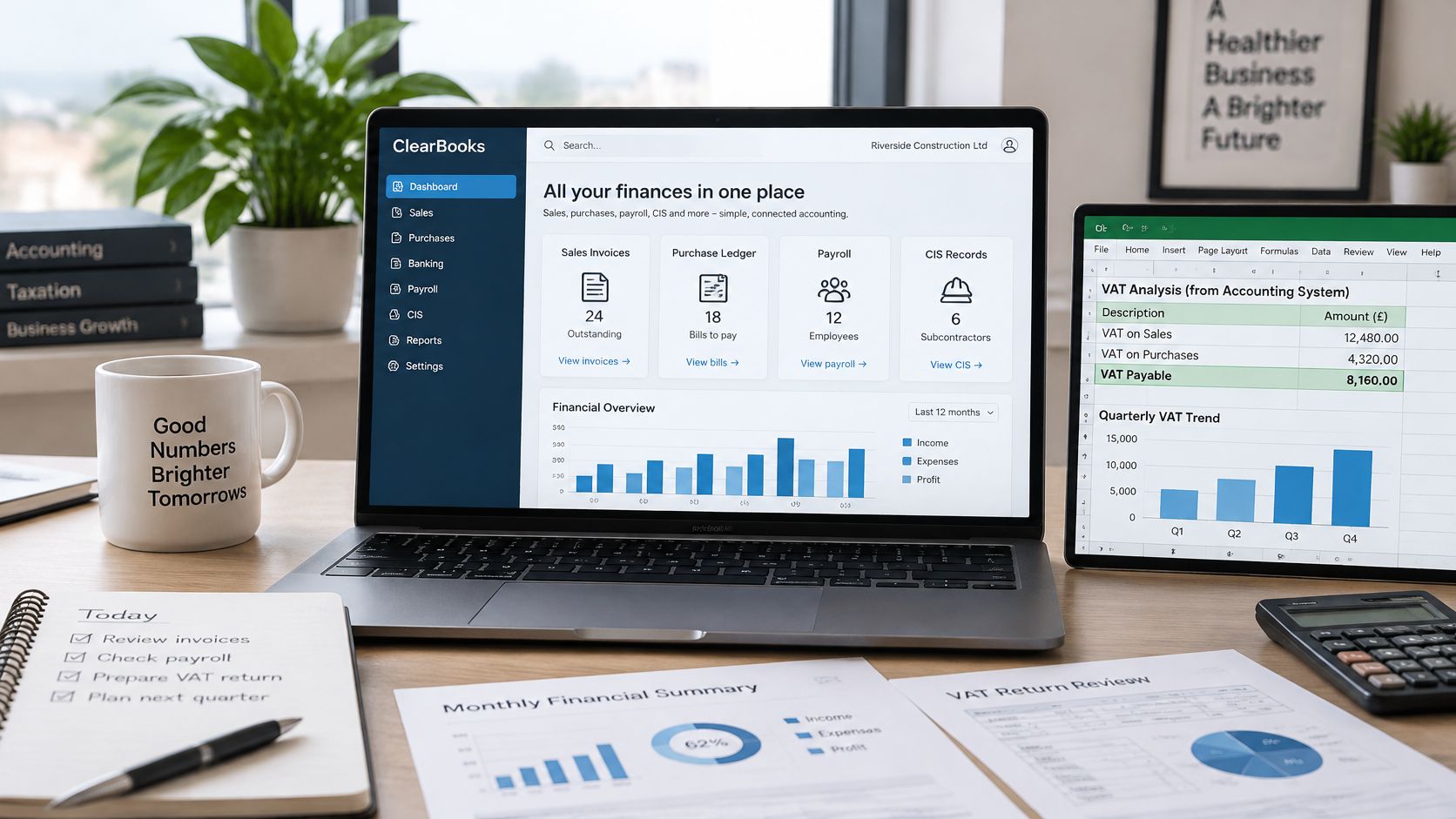
The risky spreadsheet is the one nobody reconciles to the main ledger. If you maintain a separate adjustment schedule, give it a clear purpose, an owner and a controlled connection to the accounting records. Use accounting software integration to reduce duplicate entry, not merely to add more applications.
Keep tax treatment separate from available cash
For contractors, CIS deductions aren't VAT, but they affect the cash received. A domestic reverse-charge invoice doesn't charge VAT to the customer in the usual way, yet it still needs the correct reporting treatment. Check the invoice wording and tax code instead of judging the VAT position from the bank receipt.
Use a separate savings account to reserve VAT money. When an invoice is raised, forecast the related liability immediately; transfer available funds without assuming the customer has already paid. Update the reserve against the actual return calculation rather than treating every receipt as spendable income.
Retain a documented check of the software connection, filing responsibility and payment arrangements with the VAT records.
Cash discipline: Forecast the tax payment against expected customer receipts, not against the sales total on your dashboard.
Standard accounting, cash accounting and the flat rate scheme affect the calculation or timing of VAT differently. Test eligibility and cash consequences before changing schemes.
Consider a subcontractor moving mixed-rated invoices from Excel into connected software. Assigning the right codes at entry and attaching invoice evidence removes repeated sorting from the reconciliation process. The improvement comes from better records, not from assuming the software will understand each supply unaided.
Choose Your Filing Route Before Your Next Deadline
Choose your route while there's time to fix it. A new software subscription, an accountant's appointment or a GOV.UK login isn't proof that your business can submit its next return successfully.
Match your circumstances to the filing-route table, then check that the software, authorisation and outstanding period agree. If they don't, resolve the mismatch before spending time polishing the return figures.
Test the process before you need it
Run a trial reconciliation this month. Pick a completed trading period and see whether you can trace sales, purchases, credits and adjustments through to the proposed VAT position without unexplained differences.
That test should answer practical questions:
- Can you find the evidence? Every queried entry should lead to an invoice, credit note or documented adjustment.
- Can someone approve the figures? Name the reviewer and give them access to the supporting schedules.
- Can the business fund payment? Compare the expected liability with available cash and committed outgoings.
- Can someone cover an absence? Make sure filing access and bank approval don't depend on an unavailable person.
Set up the control calendar around those answers. Allocate capture, reconciliation, review, submission and payment to named people, even if the same owner handles several tasks.
Book a review while changes are still manageable
Get a review before filing if the ledger has gaps, your software is new or your business has changed its submission arrangements. The point is to identify the unresolved work while there's still time to obtain documents, correct coding or restore access.
Bring the last submitted return, a ledger export, bank statements and the planned payment dates. Include notices from HMRC and a list of unresolved transactions. Those documents make the review specific instead of turning it into a conversation about what might be wrong.
Action Accountants Limited is based in Colindale, serving North West London and clients across the UK. Our VAT return service includes help completing returns, VAT control and reconciliation, and planning to minimise future problems with HMRC.
Book the review before the next deadline, not after a missed one. Filing software can transmit a return, but you still need someone to approve its accuracy and someone to make sure the liability is paid.
Your action this week is straightforward: confirm the filing route and write the payment date in the calendar. Give each task an owner, then check that both have the access and information they need.
Action Accountants Limited offers help completing VAT returns, reconciling VAT records and planning to minimise future problems with HMRC. Visit Action Accountants Limited to arrange a review before your next deadline, and bring your latest return, ledger export and planned payment dates so we can focus on the filing and payment risks that need attention.